Guide: the prompt that
paints it right the first time.
Portrait extra gives you complete freedom: a magazine cover, a comic, a Christmas card, a poster in your company colours. How you describe the style decides not only the result, but also whether the AI agrees to paint the portrait at all. Here is how to write so that guests get great portraits the first time.
First things first: who judges your prompt
In Portrait extra, your description and the guest's selfie go to an AI model run by an external provider. Before the model starts painting, the provider's safety filter checks the description and the photo. If something doesn't fit, it refuses. This is not a Portino bug: the AI model provider decides on a refusal, and its filter works the same way in every program that uses that model.
The filter doesn't always answer the same way. The same prompt can pass nine times and be rejected on the tenth. That is why it is best to write in a way that stays well away from its limits.
The basics, meaning how to switch on Portrait extra and add reference images, are described in the post Portrait extra. Your style, in your words.
A five-step recipe for a good prompt
- Technique and material. Watercolour, comic cover, poster, oil on canvas. One technique per prompt.
- Who is in the picture. “The person in the photo” or “all the people in the photo”. Portino takes care of the likeness, so you don't need to describe it.
- Background and setting. A ballroom with golden lights, a night city, a winter forest.
- Text, if needed. Short and in quotation marks, two texts at most, for example the title “GALA” and the date “Andrzejki 2026”.
- Colours and mood. Warm gold, pastel colours, strong contrasts.
A good prompt usually has three to six sentences. A longer one doesn't give a better result. The more instructions, the easier it is for the model to get lost, and the more chances the filter has to reject something.
Four examples from real Portino
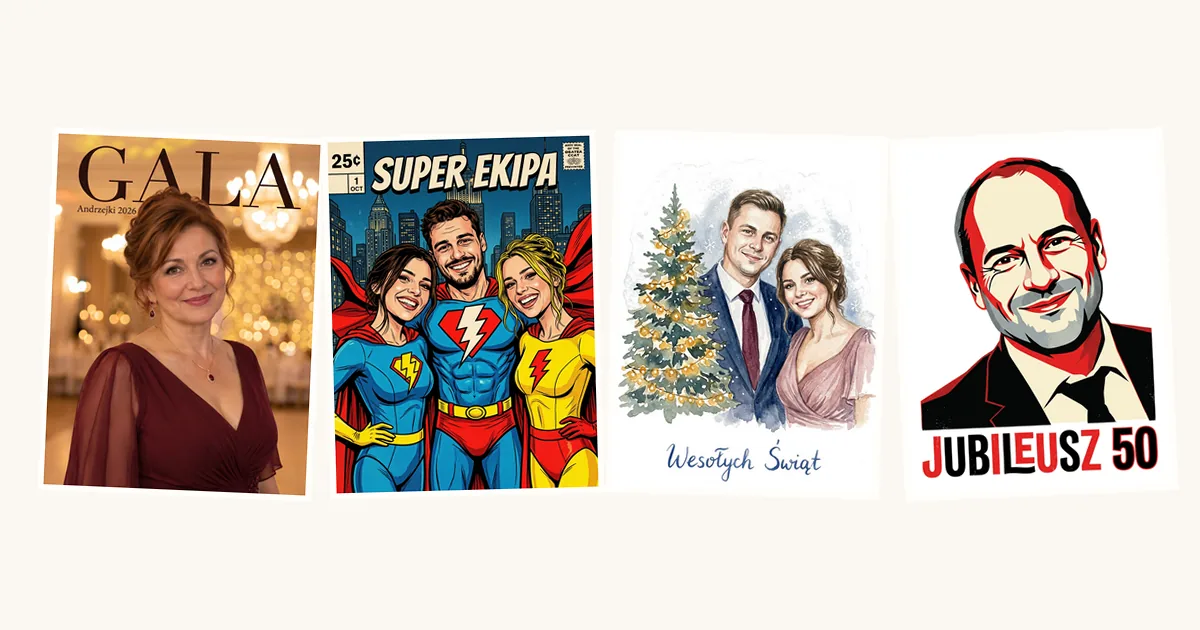
Each of these portraits was made in Portino from exactly this prompt, on a photo of a sample guest. Selfie on the left, finished portrait on the right.
Magazine cover
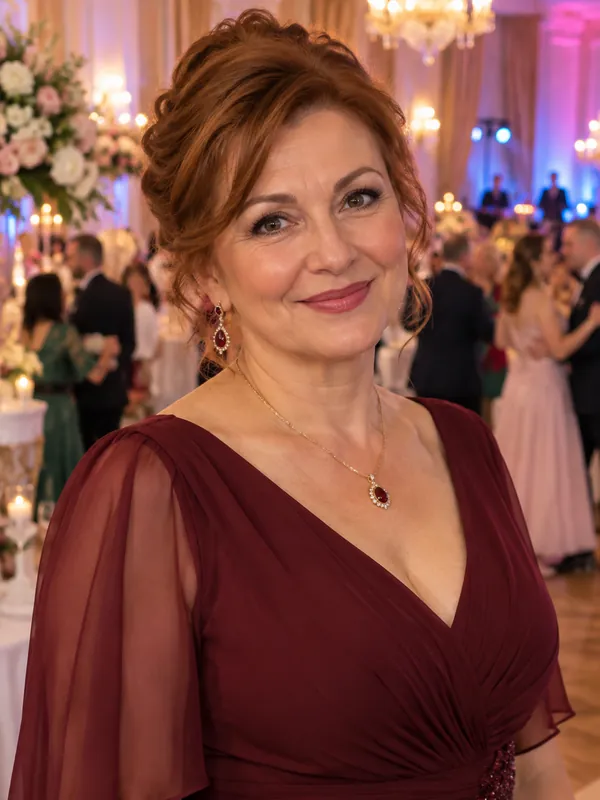
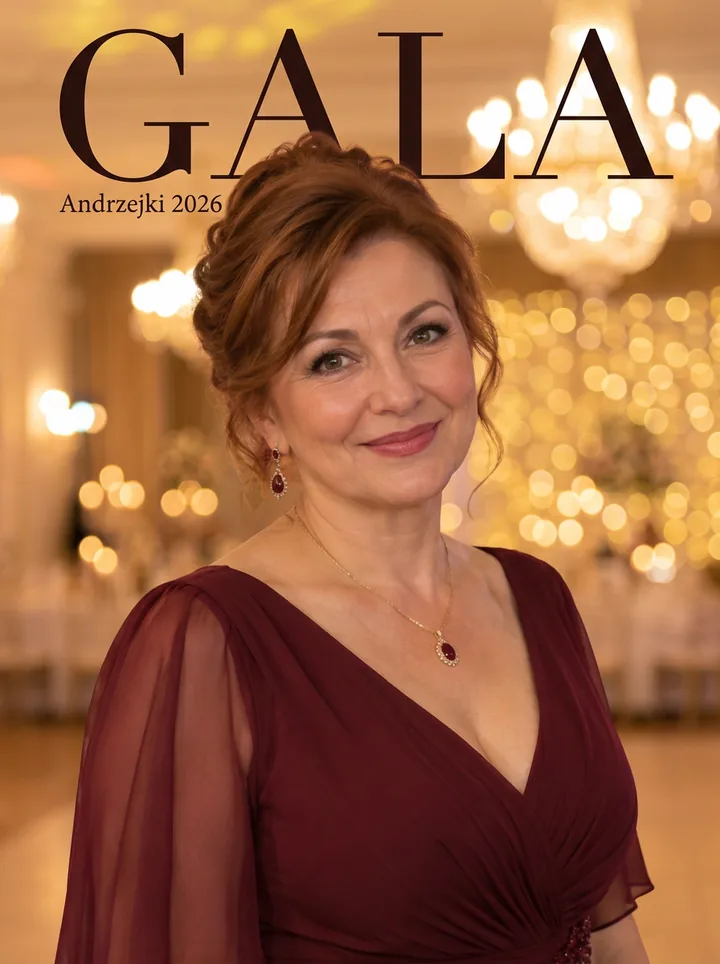
Prompt:Portrait as the cover of an elegant fashion magazine. At the top a large serif title “GALA”, and below it a smaller text “Andrzejki 2026”. Background: a brightly lit ballroom with blurred golden lights. Warm colours, the effect of a professional photo shoot, the texts do not cover the face.
The magazine title is invented. The cover looks straight from a newsstand, and you don't need the name of any real magazine for it.
Comic book cover
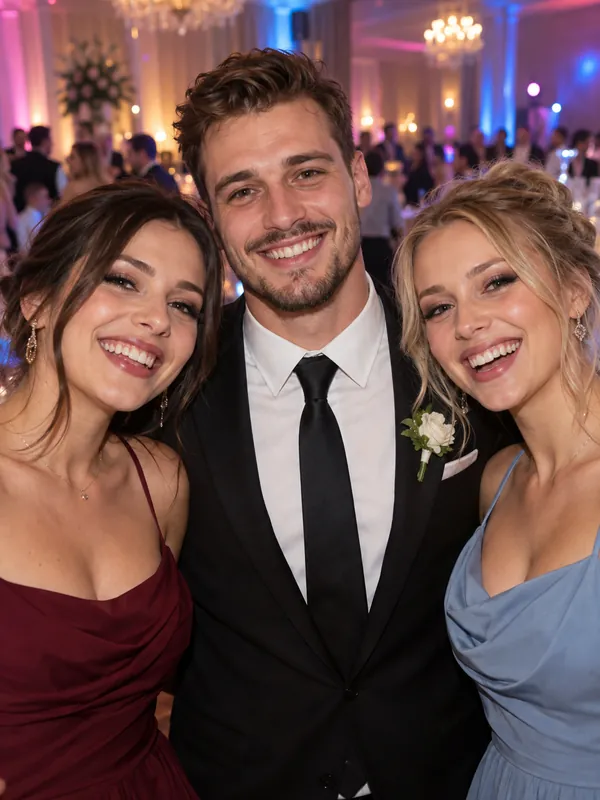
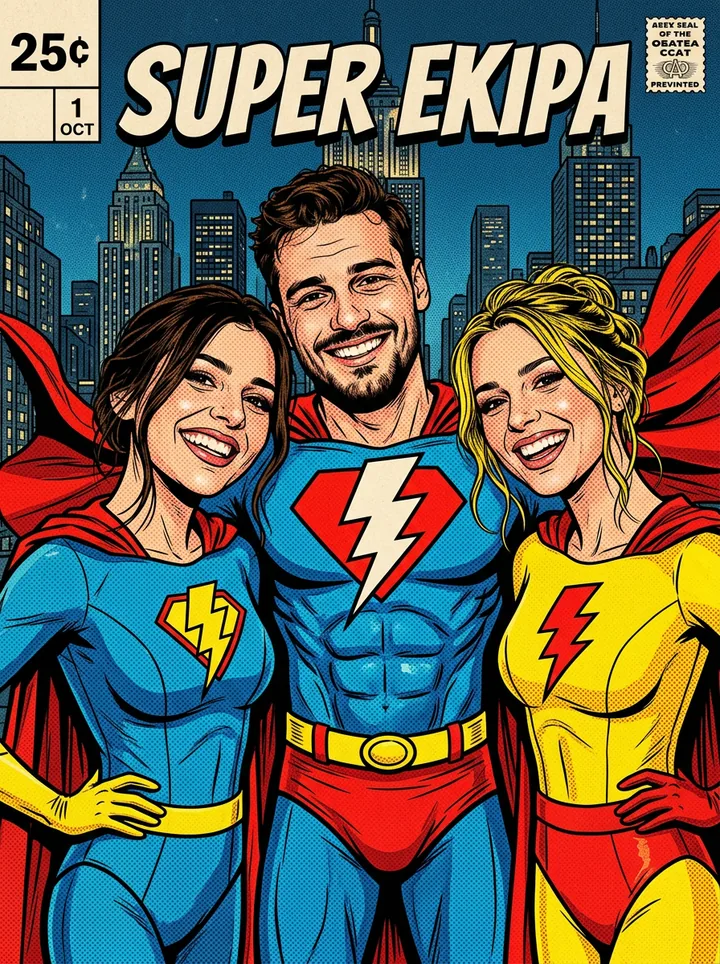
Prompt:A 1960s comic book cover: bold black outlines, halftone dots, strong yellow, red and blue colours. The people from the photo as a team of invented superheroes in capes and costumes with a lightning bolt emblem, without symbols of known characters, against a night city. At the top a comic-style title “SUPER EKIPA”.
Note the words “invented” and “without symbols of known characters”. In the first attempt, without them, the model drew an emblem on the hero similar to the sign of a famous superhero. Such a portrait can be rejected or infringe someone else's rights. AI also likes to add small texts, like a price or a stamp in the corner. If they bother you, add “no other texts”.
Christmas card
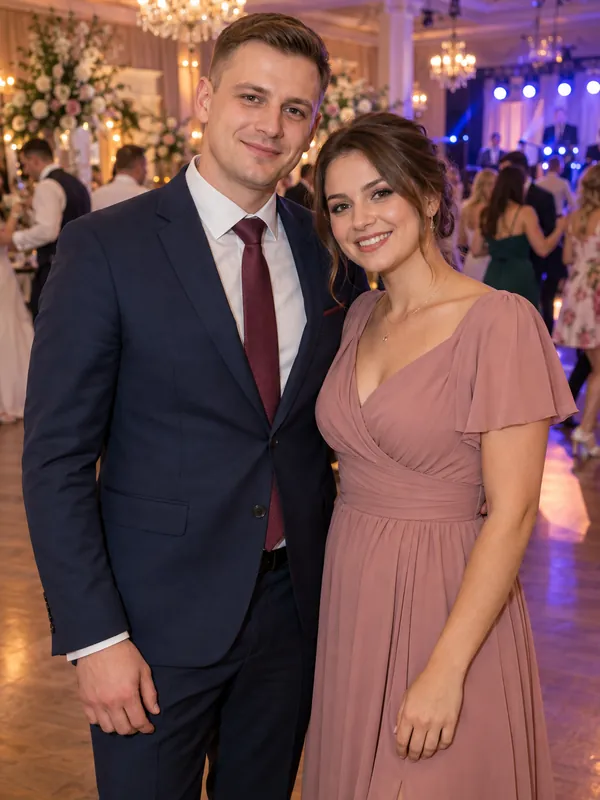
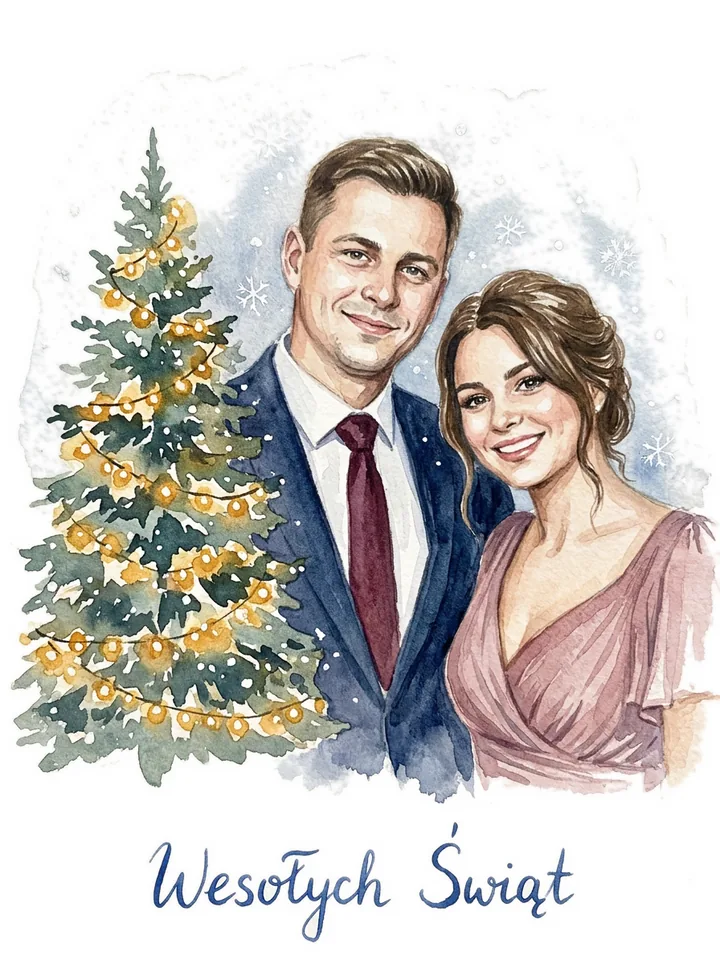
Prompt:A Christmas card painted in watercolour on textured paper: gentle snow, a Christmas tree with warm lights, soft light. At the bottom a handwritten text “Wesołych Świąt”.
A short, handwritten text at the bottom of the card doesn't cover the faces, and the model writes it without mistakes.
Anniversary poster
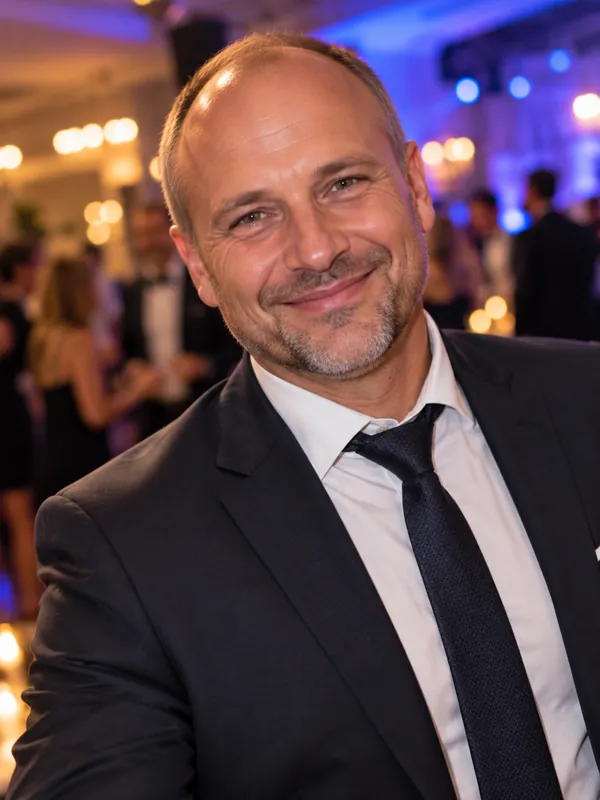
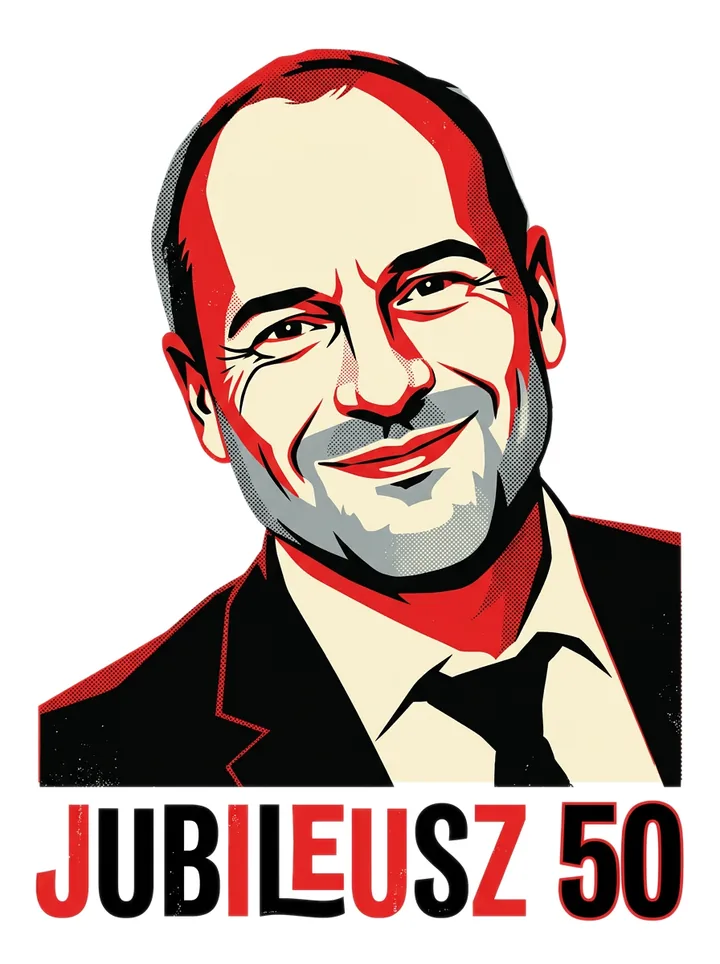
Prompt:A poster in the style of the Polish poster school: flat patches of colour, bold simplified shapes, screen-print texture, a limited palette of red, black and a cream background. At the bottom a large text “JUBILEUSZ 50”.
The name of an art movement, like poster school, pop art or art deco, is a safe way to set the mood. Brand names and the names of famous people are not.
What to avoid so the AI doesn't reject attempts
- Names, logos and titles of well-known brands, magazines, films or games. Invent your own title. Upload your company logo as a logo image in Portrait extra: Portino will place it on the portrait exactly as it looks in the file, without any AI involvement.
- Well-known characters and people: cartoon and comic heroes, celebrities, politicians, athletes. A guest can become an invented superhero, but not a specific character from a famous film.
- Instructions such as “photorealistic, keep the face one hundred percent, change nothing”. A photorealistic alteration of a photo of a real person is a warning sign for filters. Portino ensures the likeness, and an artistic style (painting, graphics, comics) passes most reliably.
- Adult content and violence: nudity, underwear, blood, weapons, stimulants in the leading role. Even as a joke, because the filter doesn't understand jokes.
- Changes to the guest's appearance: slimming, ageing, changing gender or skin colour. The filter often rejects such requests, and the guest could feel offended.
- Long lists of prohibitions and contradictory instructions, for example “no texts at all” next to a list of five texts. Describe what should be in the picture, not what should not be.
- Many long texts. AI draws letters rather than typing them like a text editor, so in longer sentences it confuses characters. Two short texts are the safe maximum.
What happens when the AI refuses
The guest sees a request to try again on the phone, and a broken brush appears on the screen. The credit for the failed attempt is not deducted. The second attempt usually succeeds. If refusals keep repeating, however, the prompt is close to the filter's limit and it is worth simplifying it following the tips above.
Before the event starts
- Make two or three test portraits with a phone (QR code from the screen), preferably of different people.
- Check the texts: are there any typos and do they cover the faces.
- Save the finished prompt with the “Save current Portrait extra” button. At your next event you restore it with one click.
The operator is responsible for the content of the prompt, just like for the choice of music or decorations in the hall. If other people's names, trademarks or likenesses are to appear in a portrait, make sure you have the right to use them. You will find the details in the terms and conditions.
Have an idea for Portrait extra and want to test it? Write to portinopolska@gmail.com or use the chat on the website.