Your own painter.
Recorded in two minutes.
A bride and groom at an easel, the company boss, a brand mascot or a birthday star with a brush in hand - in the full version of Portino anyone can become the painter on screen. All it takes is a short video. You upload it yourself, at no extra cost, in two ways.
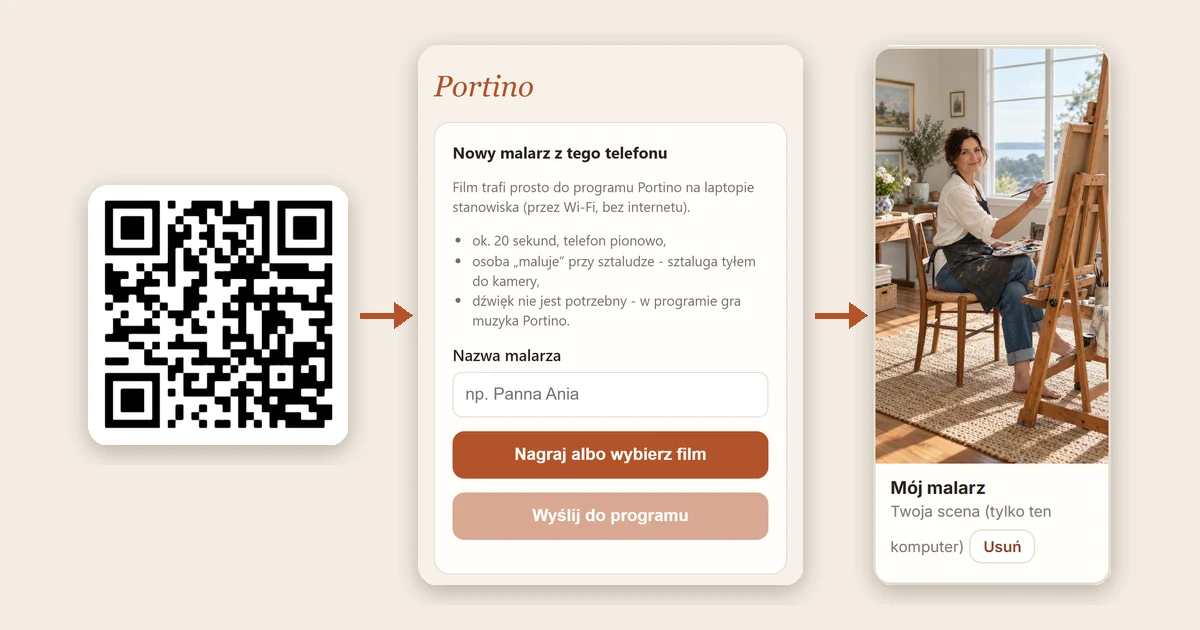
What a painter scene is
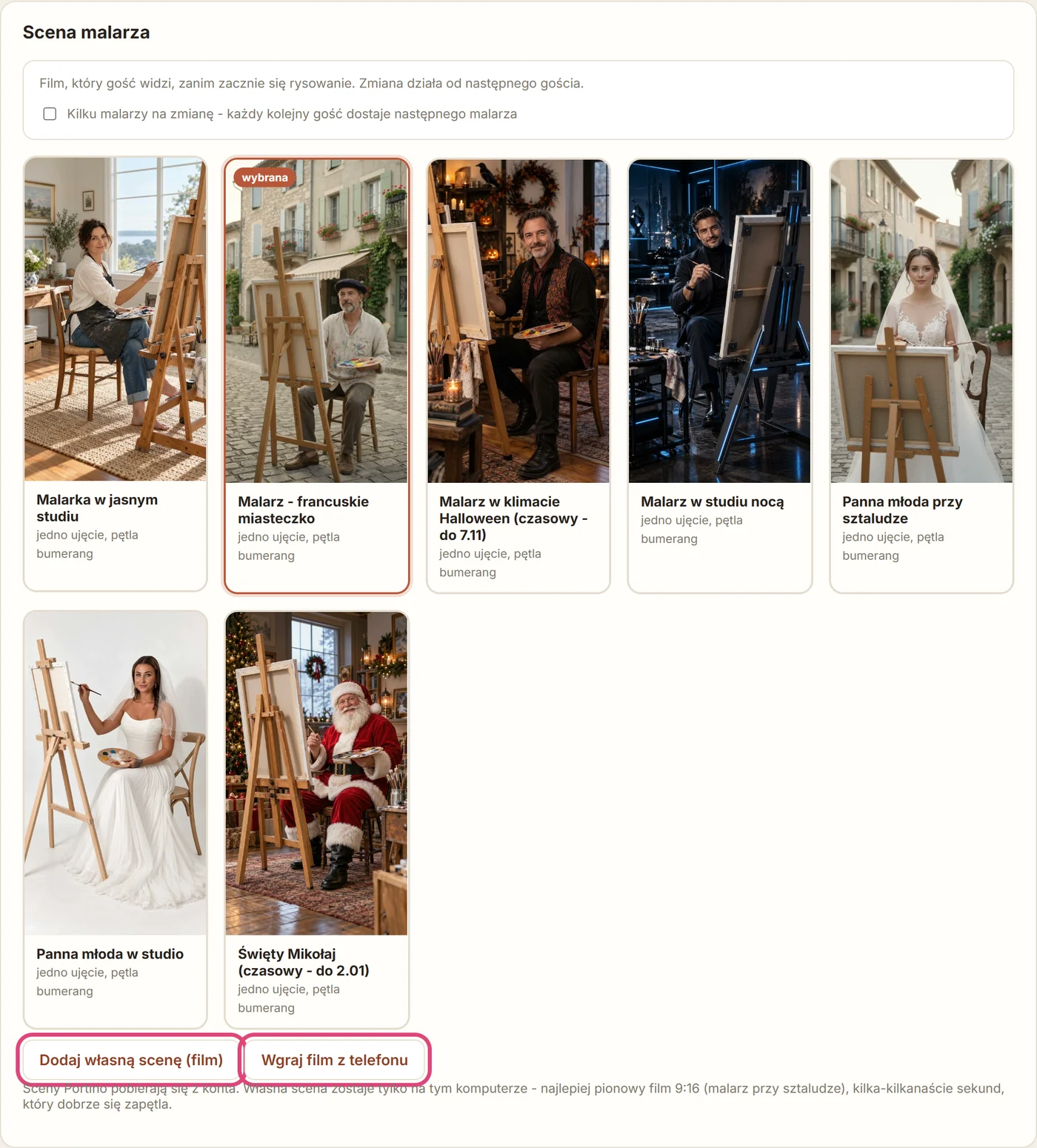
Before the portrait appears on screen, guests watch a video: a painter sits at an easel, smiles at the room and paints. Portino comes with ready-made scenes - a painter from a French village, a bride at an easel and, in season, Santa Claus. Your own scene works exactly the same way, only your character stars in it.
Way 1: record a video with your phone
- In the program panel open the “Show” tab, the “Painter scene” section, and click “Upload video from phone”.
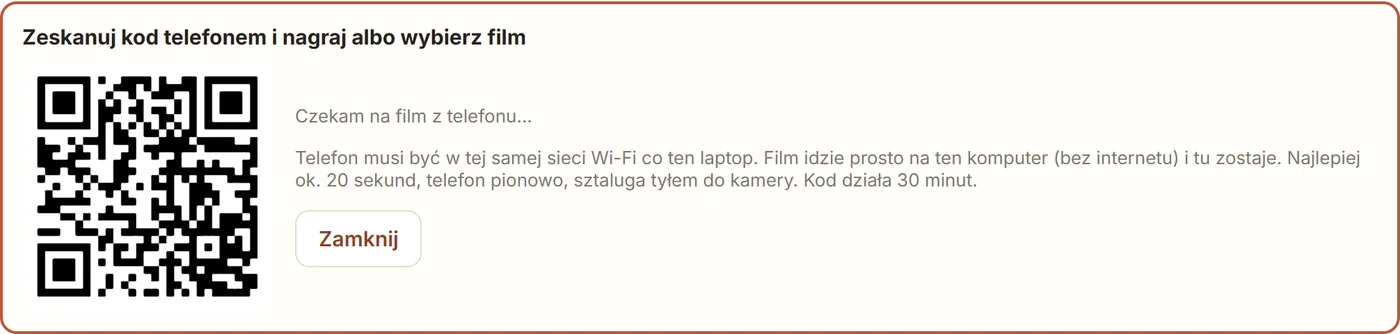
- Scan the QR code with your phone's camera. The phone must be on the same Wi-Fi network as the station's computer.
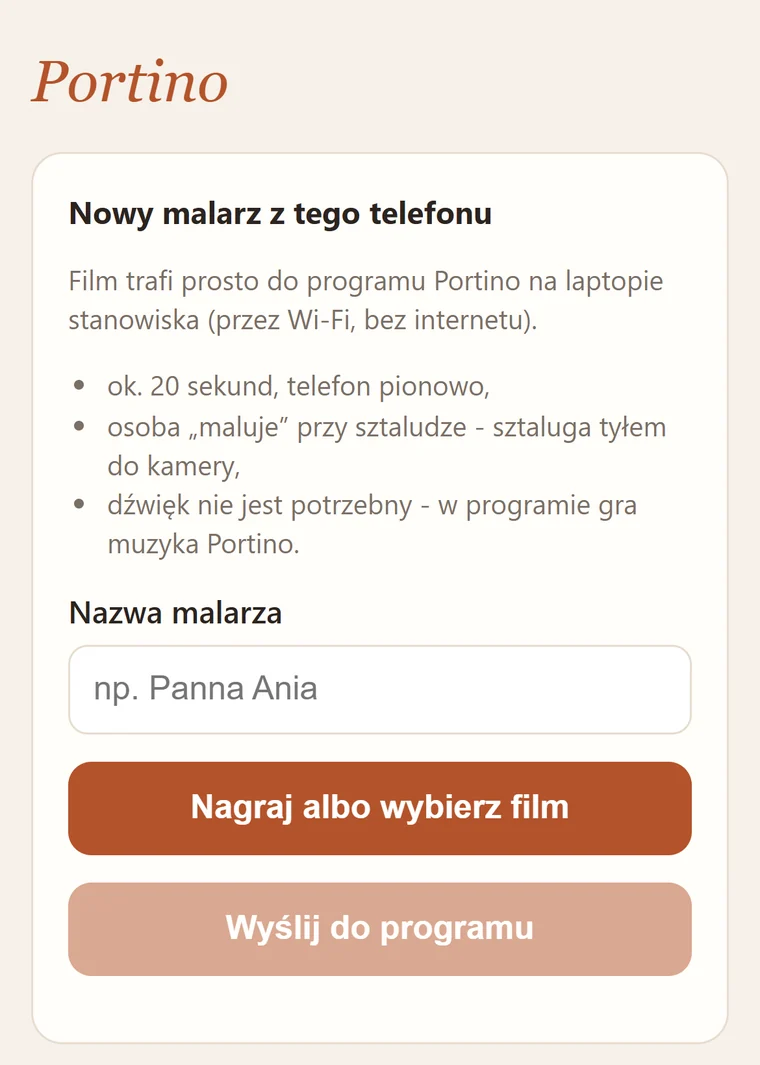
- Enter the painter's name, tap “Record or choose a video” and record the scene or pick a ready video from your phone.
- Tap “Send to the program”. The video goes straight to the computer, without the internet, and the new painter appears in the list of scenes.
Way 2: choose a file from your computer
Already have a video on your computer, a flash drive or a disk? Click “Add your own scene (video)”, point to the file (MP4, MOV or WebM) and give the painter a name. Done.
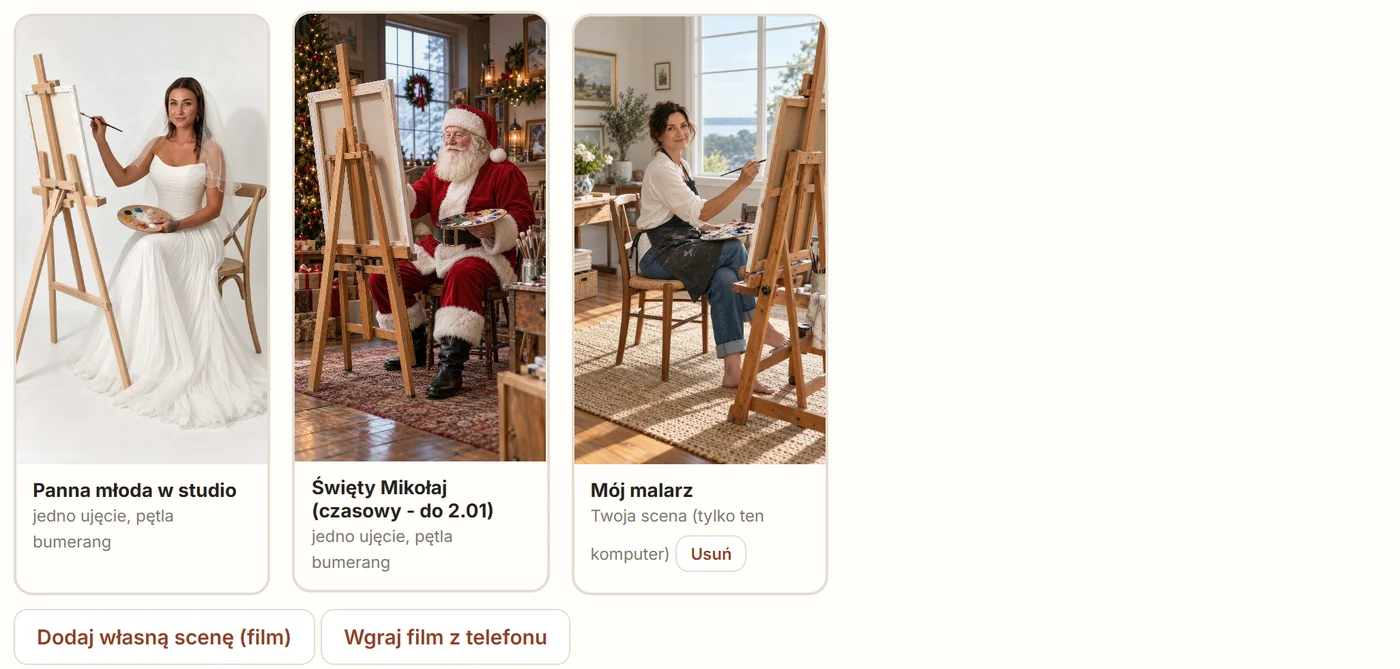
How to record a good scene
- hold the phone upright - the Portino screen is vertical (9:16),
- about 20 seconds, one shot with no cuts - the video plays in a loop,
- the character sits or stands at an easel, with the easel facing away from the camera - like a real painter,
- good light and a calm background; no sound is needed, because Portino plays music while the painting is made.
Good to know
Your own painter is free in the full version of Portino, on Windows and on Mac. The video stays only on that computer and does not go to the internet. You can pick it as the only painter or add it to the rotation, so that successive guests get different painters. You can remove a scene you no longer need with the “Remove” button on its card.
No time to record? With a rental including an operator, we'll record a scene with your character for you. Questions? Write to portinopolska@gmail.com or in the chat on our website.