Welcome to the
Portino blog.
Hi, this is the Portino team. We're starting a blog because we know exactly what happens around our station at a party: a queue for the painter, guests who come back an hour later with more friends, and a poster where everyone hunts for their own face. We want you to have as many parties like that as possible.
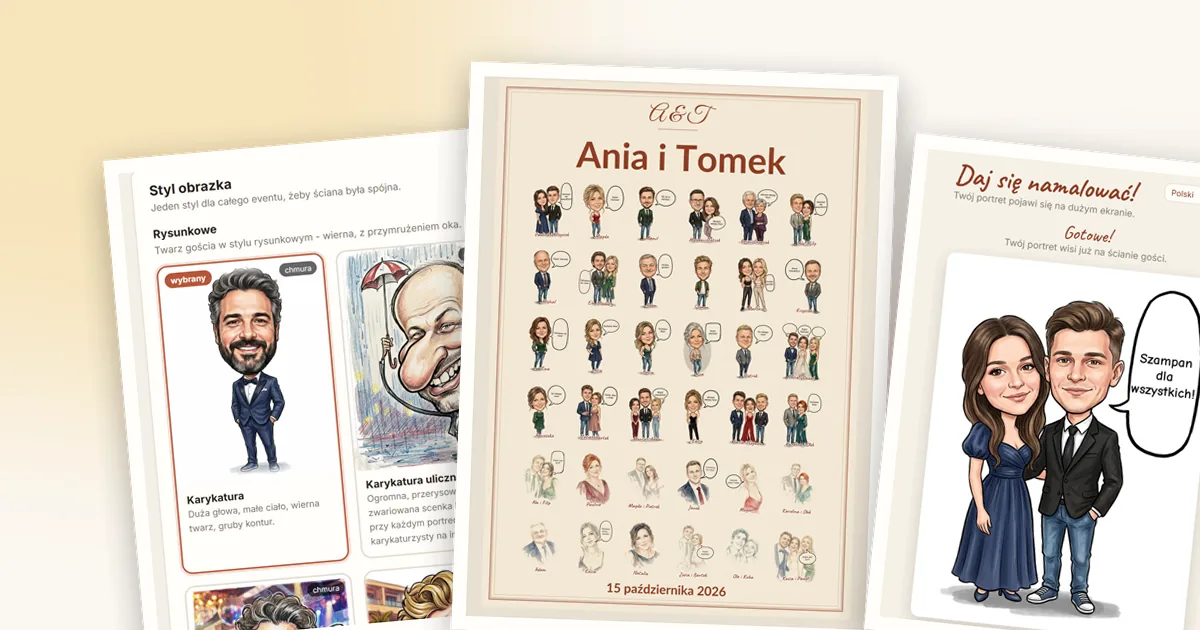
We're writing this blog for you: photo booth operators, DJs, wedding planners and event companies. For anyone who wants to give guests something they'll still be talking about over dessert. It'll be practical - no theory, just what works at real parties.
Here's a quick look at what you can expect.
How to use Portino - step by step
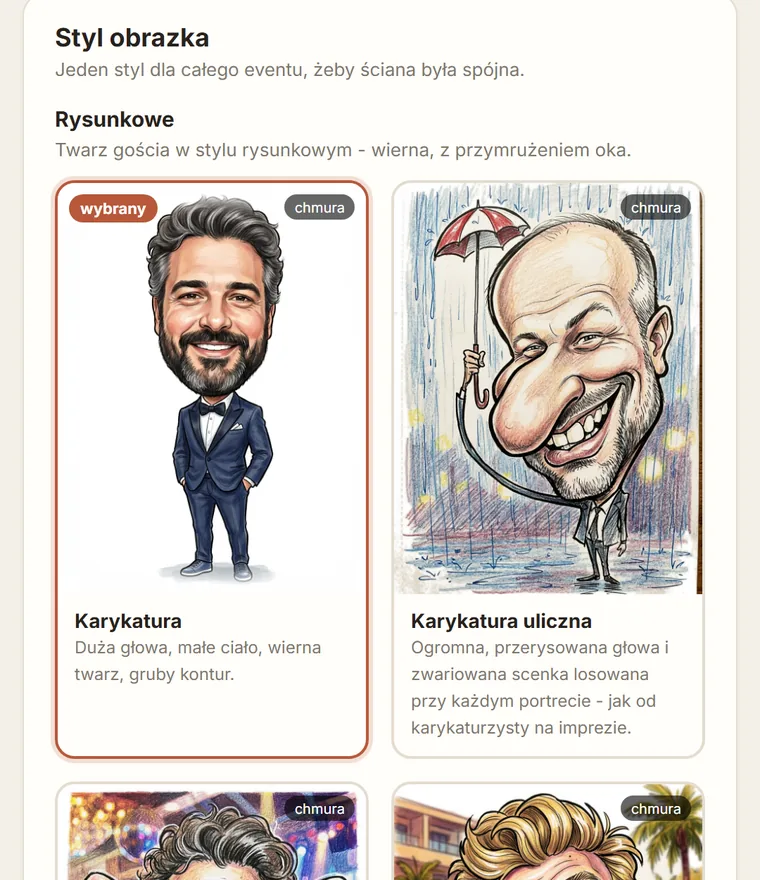
Your first party with new equipment is always a little nerve-racking. That's why we'll start with the basics and go through everything one step at a time, so nothing at the venue catches you off guard. In our guides we'll show you how to:
- start the software and connect it to your account,
- set up the station so guests notice it straight away,
- choose the style, painter and captions for a specific party,
- set up the guest poster, the Superplakat and 10×15 prints,
- handle a queue and weak internet at the venue.
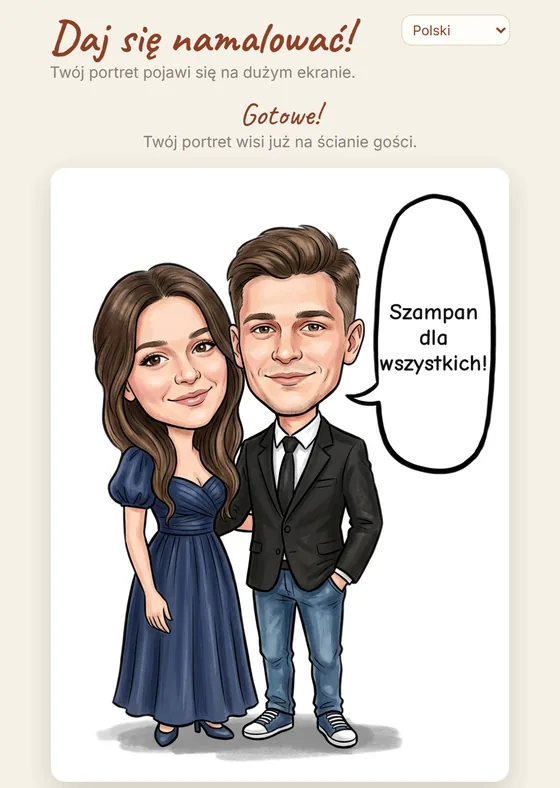
We'll also show real-life situations. Like this one: after the first dance, twenty people suddenly gather at the screen, each with a phone in hand. What now? The portraits are painted in the background and the screen shows the guests one by one, so nobody has to stand and wait at the station. You just need to know how to set it up and what to tell your guests - and that's exactly what we'll write about.
We'll also share the little things that make a difference: where to put the screen so it catches the eye, which style to pick for a wedding and which for a corporate gala, and how to suggest bubble texts to guests so the poster is a joy to read afterwards.
How to promote yourself at events
Portino sells itself best - people just need to see it in action. Someone sees their friend appear on the screen as a caricature, and a moment later they're scanning the code themselves. Someone else takes a print home and a week later asks where they can book you. We'll help you make the most of it.
We'll tell you which materials are worth having to hand: a QR code board at the station, short videos for Instagram and TikTok (a portrait drawing itself on the screen is really fun to watch), photos of a finished guest poster and sample offer texts for couples and for companies. We'll also suggest what to film at the venue so you have material for posts for weeks to come.
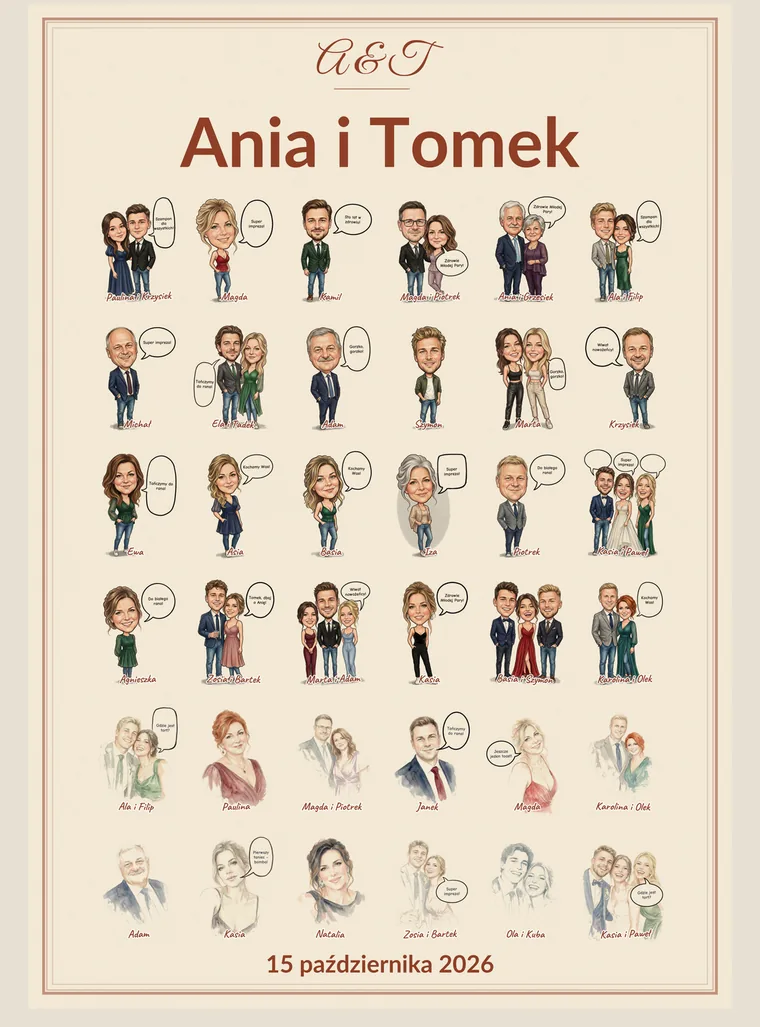
The Superplakat deserves a chapter of its own - all the portraits of the evening in one print-ready graphic. The couple gets a keepsake that ends up on their wall at home, and you get an advert that all their guests see. We'll show you how to make use of it.
Promotions: free credit pools
From time to time we'll give away free credit pools. It's a great chance to test a new style at a real party before adding it to your offer, or to get comfortable with the software at the start of the season without counting every portrait.
Promotions will come up on special occasions, for example when the wedding season starts or when a new style lands in the software. We'll announce them right here, along with the terms and dates - so it's worth checking the blog regularly.
Updates: permanent and seasonal
Portino keeps growing. We'll explain every permanent new feature in plain words: what's been added to the software, where to find it in the panel and how to use it at your next party - whether it's a new portrait style or a new feature in the panel or the Superplakat editor.
The most fun, though, comes from seasonal updates: special painters and styles available for a limited time only. For Halloween you can switch on a Halloween-themed painter and caricatures in Halloween costumes with pumpkins - spooky, but not horror. In December, Santa Claus takes a seat at the easel, and guests get a portrait in a Santa hat or a festive costume: men as Santas, women as Mrs Claus, children as elves.
Thanks to extras like these, the same attraction looks a little different at every party. It's a great argument when talking to a client booking you for a company Christmas party or a Halloween bash.
Let's stay in touch
Got a topic you'd like to read about? A question you often hear from clients? Write to us: portinopolska@gmail.com. The most common questions will make it onto the blog first.
And if you don't know Portino from the inside yet, download the demo version and paint your first guests for free. 15 portraits to start are enough to see how it works on your equipment.